
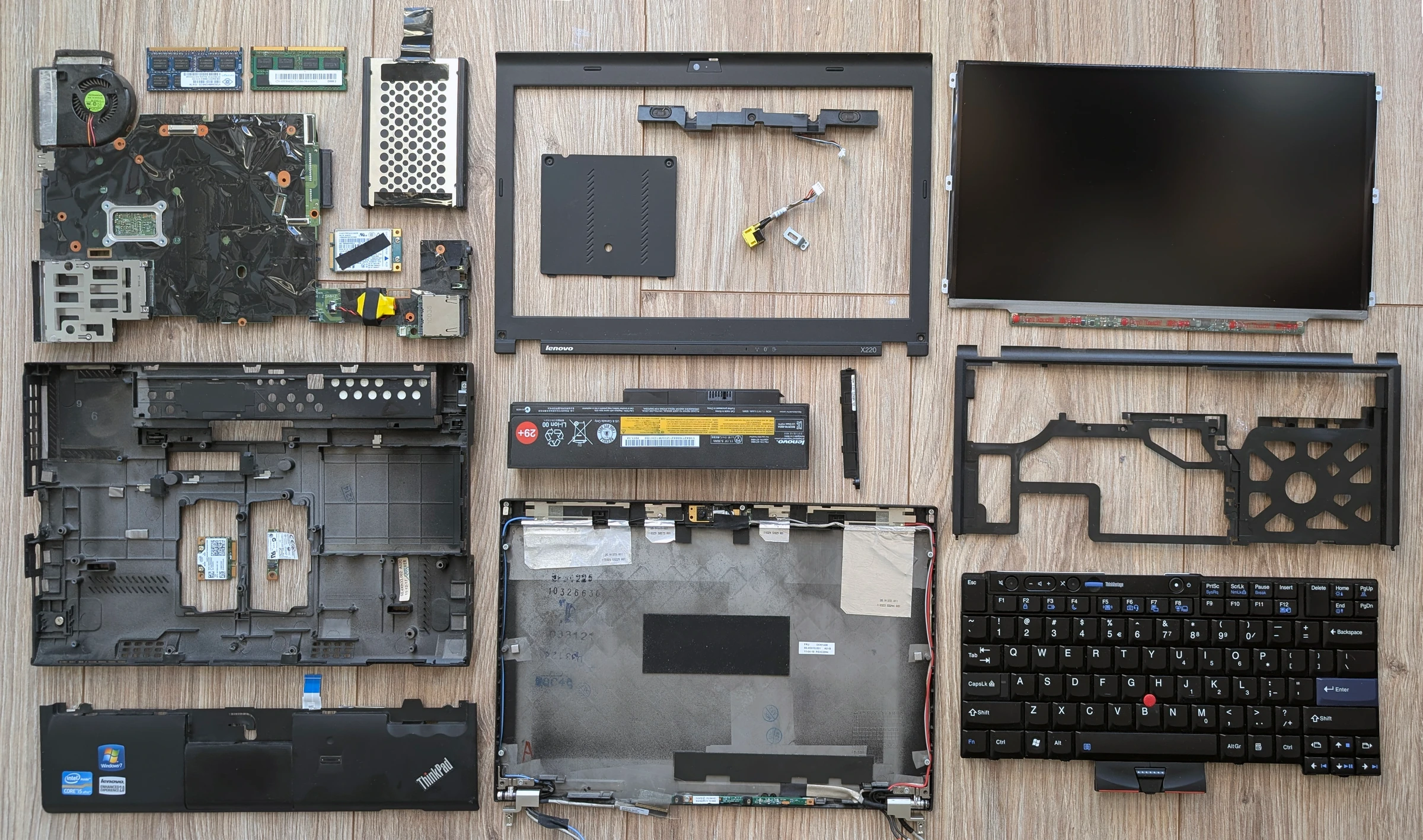

Disassembled laptop with its keyboard, display and case parts laid out

We Speak English

Laptops & PCs

Laptop Keyboards, Hinges & Charging Ports

We can check keys that don’t work, a touchpad that won’t respond, a broken hinge or a loose charger socket. We’ll explain what can be fixed and price any parts your model needs.

The quote and estimated turnaround depend on which part needs work, such as the keyboard, hinge mounts or charging socket. Send the laptop model and, if it has trouble charging, tell us which charger you use.

Local pickup and return are included at no extra charge on agreed repairs.

See the Areas We Cover

What This Service Covers

We look at the keyboard and touchpad connections, the points where the hinge attaches to the case, or the charging socket and how it’s fitted.

Keys and touchpad faults

Tell us if the fault affects one key, a whole row or the entire keyboard. If it only happens inside one program or when typing certain symbols, that is useful to know before deciding whether a replacement is needed.

The touchpad may be a separate part or may sit alongside the keyboard in the top of the case. We inspect the area around it if the touchpad has lifted or become difficult to press.

Inspect the hinge and its mounts

A stiff lid, a click when opening or a gap in one corner can point to trouble where the hinge attaches. We check both the hinge and its fixing points. A damaged mount can require a casing part.

A loose hinge can also pull on the display cable. Let us know if opening the lid makes the picture flicker. Avoid repeatedly moving a lid that catches or visibly pulls the casing apart.

Trace a loose charging connection

We check the charger and the connection at the laptop. Some models use a separate power socket. Others have a charging port fixed directly to the motherboard, which calls for different work.

If the issue involves a USB-C charger, tell us which port you use and whether you also rely on that port for a dock or monitor. That helps us choose the functions to check.

Common Reasons to Get Help

  • A row of keys fails, repeats characters or works only occasionally.
  • A corner of the case lifts as the lid moves.
  • The charging symbol comes and goes when the plug shifts.

What to Send for a Quote

Send the model and tell us which keys fail, where the case lifts or when charging cuts out. A photo helps if a part has come loose.

  • Send the laptop model and its keyboard layout, such as UK or Spanish.
  • Take a photo of any visible gap without pulling the case further apart.
  • Mention a spill, drop or charger change before the fault started.

Questions About This Service

Can a keyboard be replaced on its own?

It depends on the laptop. On some models the keyboard is part of the top case, so we check whether they need replacing together.

Can I keep my keyboard layout?

Tell us what you use now and what you’d like to keep. We can check which layouts and backlight options are available for that model.

Does a damaged charging socket always require a new motherboard?

The answer depends on how the socket is fitted and what is damaged. We’ll inspect the connector and surrounding parts and explain the repair options.

We Won’t Be Beaten on Price

Show us another quote for the same work and we’ll do it for 10% less.

Show Us Your Quote

Ways to get help

Local pickup and return

We can collect and return your device in La Marina and San Fulgencio. Ask about pickup in nearby areas.

Ask about pickup

Help at home

We can help with TV, Wi-Fi and device setup at your home, depending on the job.

Explore home help

Mail-in repairs

Book from across Europe and post us your device. Diagnosis is €25 plus return postage.

Book a mail-in repair