
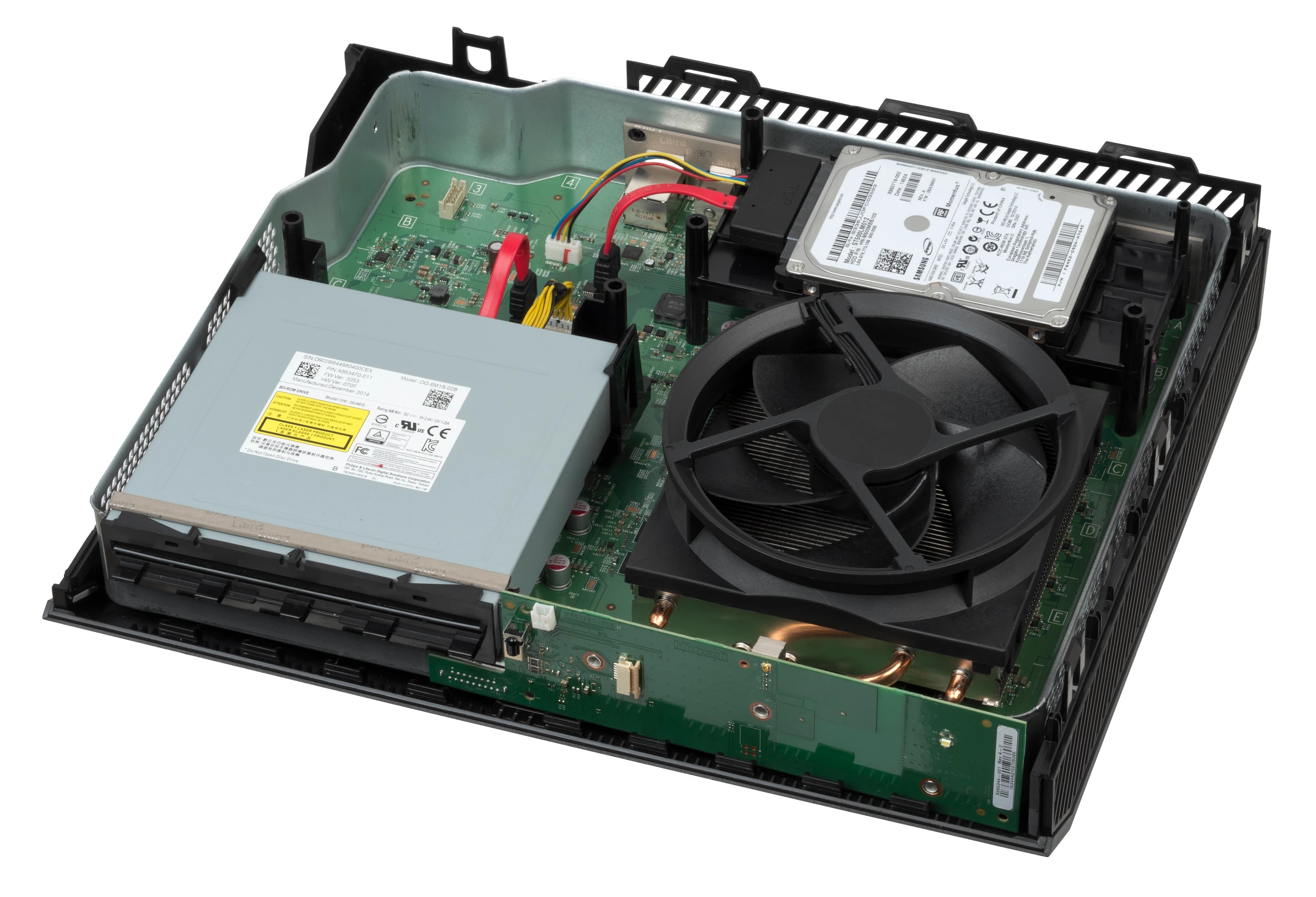

Opened Xbox One with its disc drive visible

We Speak English

Consoles & Mods

PS5, PS4 & Xbox Disc Drive Repairs

Does your console refuse to take a disc, fail to read it or get it stuck? Tell us the model and what happens. We’ll check the drive and explain whether it can be repaired or needs a part.

Local pickup and return are included at no extra charge on agreed repairs.

See the Areas We Cover

What This Service Covers

We check the drive and its connections. Whether a disc gets stuck, fails to spin up or loads but gives a read error helps us work out where the fault is and whether the drive needs a part.

Observe what the drive does with a disc

Some drives will take a disc in and then report an error. Others struggle to pull it in, make repeated noises or fail to eject it. Tell us the stage where it stops, and whether the game icon or an error ever appears on screen.

If you already know which discs read and which fail, tell us. A problem with one disc gives us a different starting point from a drive that can’t read several discs. If the drive makes grinding sounds or a disc is stuck, leave it as it is.

A loading problem or a reading problem

We check the drive and its connections to the console. A disc that moves freely but fails to load a game can point toward a different part of the drive from a disc that never reaches the reading position. We’ll explain what the inspection shows.

Disc drive options depend on the console and model. On a PS5, tell us which version you have and whether it has an attached drive. Include the model label for a PS4 or Xbox with a disc slot too, so we can check which repair is available.

From inspection to a checked repair

If a part is needed, we’ll confirm that it suits the console and explain the price before fitting it. The proposed repair depends on whether the fault is in the loading mechanism, the reader itself or elsewhere in the console. Mention any earlier drive work when you book.

After work on the drive, the useful checks are whether it takes and ejects a disc cleanly and whether the console reads it. Tell us if the issue is with a particular disc type or game so we can discuss how best to check that case.

Common Reasons to Get Help

  • The console pulls the disc in but no game appears.
  • The drive clicks, grinds or rejects several discs.
  • A disc is inside and pressing eject does nothing.

What to Send for a Quote

Tell us if you have a PS5, PS4 or Xbox and what happens when you insert or eject a disc. Include any error message, unusual sound and whether the issue affects one disc or several.

  • Note the console model and the exact error message if there is one.
  • Tell us whether the issue affects one disc or several.
  • Mention any disc already stuck inside or any prior drive replacement.

Questions About This Service

Can you look at a drive with a disc already stuck inside?

Yes. Let us know when you get in touch which disc is inside and what happens when you press eject. We can check the loading mechanism and the drive.

Can digital games still run with a broken disc drive?

Tell us whether downloaded games start normally. That comparison helps us understand whether the problem is specific to the drive or also affects the console more generally.

Should I keep trying to load the disc?

Stop trying if a disc gets stuck or you hear grinding. Let us know what happened on the last attempt so we can inspect it in that condition.

We Won’t Be Beaten on Price

Show us another quote for the same work and we’ll do it for 10% less.

Show Us Your Quote

Ways to get help

Local pickup and return

We can collect and return your device in La Marina and San Fulgencio. Ask about pickup in nearby areas.

Ask about pickup

Help at home

We can help with TV, Wi-Fi and device setup at your home, depending on the job.

Explore home help

Mail-in repairs

Book from across Europe and post us your device. Diagnosis is €25 plus return postage.

Book a mail-in repair