
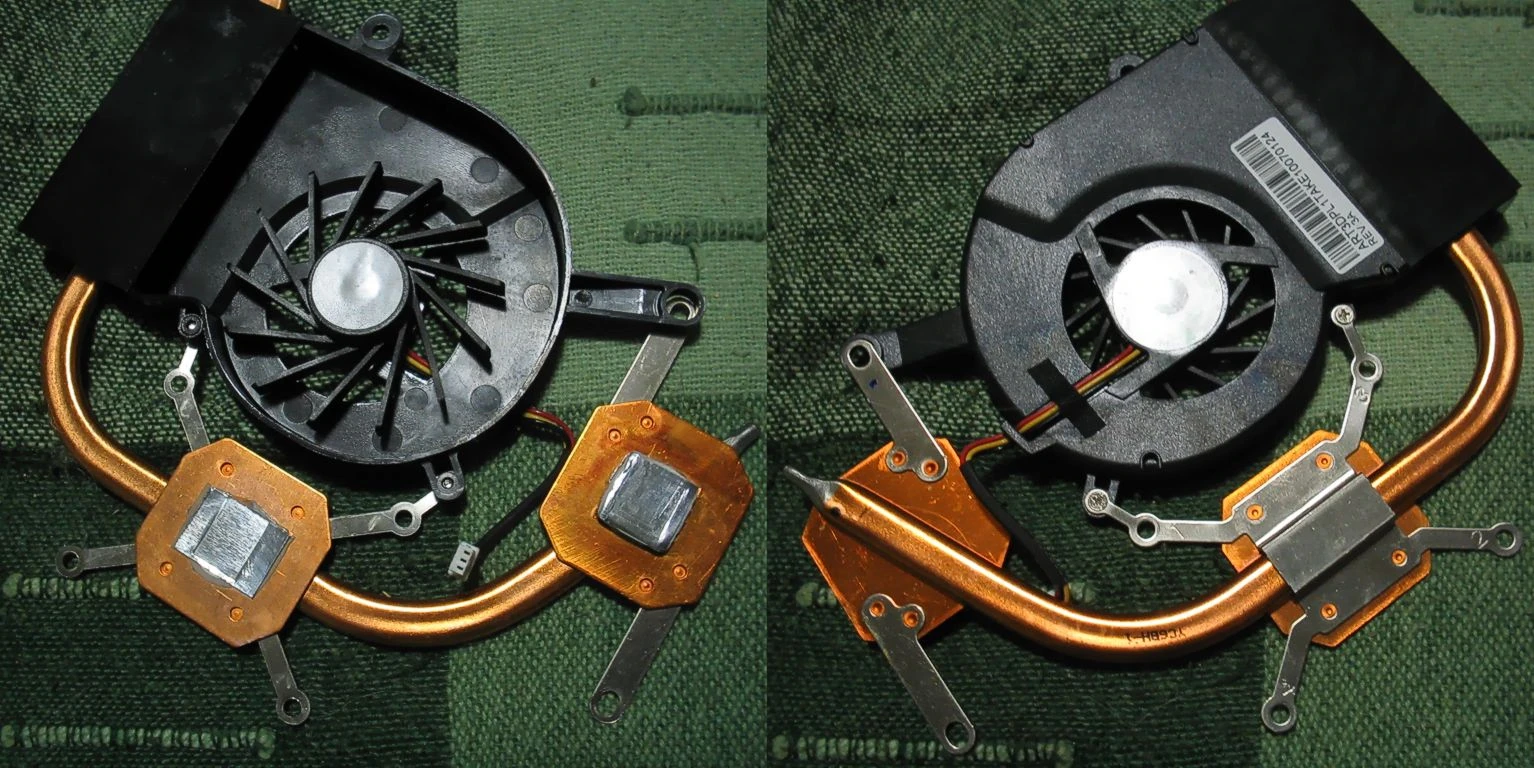

Laptop fan and copper heat pipes viewed from two sides

We Speak English

Laptops & PCs

Laptop Fan Replacement & Overheating Repairs

If your laptop gets hot, makes a lot of noise or switches off, we’ll check the cooling system. We can clean out dust, fit a new fan or renew the thermal paste when it’s needed.

Local pickup and return are included at no extra charge on agreed repairs.

See the Areas We Cover

What This Service Covers

We look for dust around the vents and heatsink, check how the fan runs and see whether the thermal paste needs renewing.

Notice when the heat or noise begins

It’s useful to know whether the fan becomes loud as soon as you sign in or only during a game or video call. Also tell us if the sound is a rush of air, a rattle or a repeated scrape.

A computer that slows down and then shuts off may be getting too hot. A power fault can cause similar shutdowns, so we look at the pattern alongside the airflow and fan condition.

Choose cleaning or replacement based on the cause

We look at the path air takes through the laptop, including the vents and the fins that release heat. A fan can spin and still move very little air if that path is blocked.

If the fan has a mechanical fault we can check for a replacement. We also look at how heat passes from the processor to the heatsink and whether the materials there need renewing.

Check it with something you normally do

After work on the cooling system, we check fan behaviour and whether the laptop stays running during a relevant test. Let us know what brings on the fault so we can choose a useful check.

Give the vents room when the laptop is in use. Tell us if the problem appears on a hard table as well as on a soft surface, and whether the computer gets hotter near a vent or elsewhere.

Common Reasons to Get Help

  • A fan suddenly starts scraping or rattling as it speeds up.
  • The laptop slows down after a few minutes of work, then cuts out.
  • You hear the fan running fast, with very little air coming from the vent.

What to Send for a Quote

Tell us the laptop model, when the noise starts and what you’re doing when it gets hot or switches off.

  • Describe the task that makes the laptop heat up and roughly how long it takes.
  • Send a short recording if the fan already makes a steady unusual noise.
  • Mention any previous cleaning or fan replacement.

Questions About This Service

Does a noisy fan need replacing?

Dust can make a working fan run harder. We check the airflow and listen for rattling or grinding to see if cleaning or a new fan is needed.

Can a laptop overheat when the fan still spins?

Yes. Blocked airflow or poor heat transfer can leave the laptop hot with the fan running. Both are part of the cooling check.

What if it shuts down before I can save my work?

Stop testing it repeatedly. Tell us when it shuts off and which files you need to keep, so we can discuss those before the repair.

We Won’t Be Beaten on Price

Show us another quote for the same work and we’ll do it for 10% less.

Show Us Your Quote

Ways to get help

Local pickup and return

We can collect and return your device in La Marina and San Fulgencio. Ask about pickup in nearby areas.

Ask about pickup

Help at home

We can help with TV, Wi-Fi and device setup at your home, depending on the job.

Explore home help

Mail-in repairs

Book from across Europe and post us your device. Diagnosis is €25 plus return postage.

Book a mail-in repair