
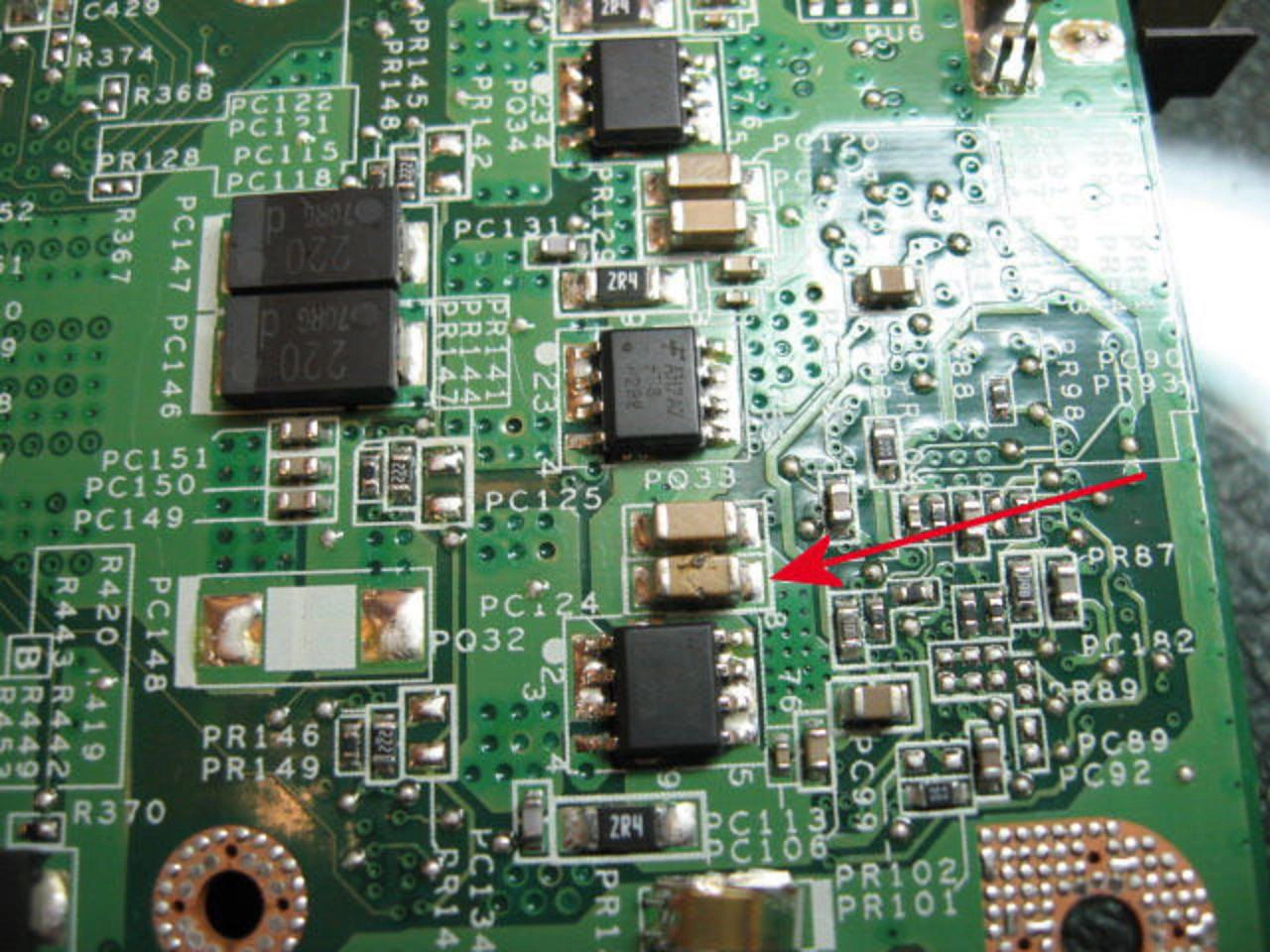

Motherboard close-up with a failed capacitor marked by an arrow

We Speak English

Laptops & PCs

Blown Capacitors & PC Motherboard Repairs

If your PC won’t turn on or keeps cutting out, we can check the motherboard for damaged parts. If a capacitor has failed and the board can be saved, we replace it and test the computer.

Quote after diagnosis

Local pickup and return are included at no extra charge on agreed repairs.

See the Areas We Cover

What This Service Covers

We inspect the motherboard for damaged components and check whether the capacitor and the area around it can be repaired.

Separate a board fault from other power problems

A PC that cuts out under load can have trouble with cooling, its power supply or a part on the motherboard. Tell us whether it dies without warning, restarts by itself or only fails after running for a while.

A capacitor helps manage electrical power on the board. It is one of several components we may inspect when the checks point to a fault on the motherboard.

See whether the board is suitable for repair

Sometimes the damage is visible and local to one area. We look at the component, its connections and the surrounding board. That tells us whether replacing one part is a sensible repair.

If there is damage around the component or more than one fault, we can discuss the extent of the work and how it compares with replacing the board. The decision depends on your machine and what is available.

Check startup and the original symptoms

After the repair we check whether the computer starts and whether the reported symptom can be reproduced. A report that it cuts out at a particular point helps us choose a check that resembles your normal use.

Tell us about recent changes such as a new power supply or work on the motherboard. If you’ve already had an assessment, the description of what was found can help avoid starting from scratch.

Common Reasons to Get Help

  • The PC starts for a short time and then loses power or restarts.
  • The fault becomes more frequent after the computer has warmed up.
  • A previous inspection found damage in the power area of the motherboard.

What to Send for a Quote

Send the PC or motherboard model. Tell us whether it stays off completely, starts then cuts out or behaves differently after it warms up.

  • Send the desktop or motherboard model and describe the power behaviour.
  • Let us know what was replaced or tested recently.
  • If you already have a photo of visible damage, send it without opening a powered device.

Questions About This Service

Are random shutdowns a sign of a failed capacitor?

They can have several causes. We check the board and the way the PC behaves before quoting a capacitor replacement.

Can you tell from a photo whether the motherboard can be saved?

A photo can show the damaged area. We normally need to examine the board and check the fault before confirming what work it needs.

Do I need to bring the whole desktop computer?

Tell us what you have and whether the board has already been removed. We’ll say what we need to examine the fault and check the repair.

We Won’t Be Beaten on Price

Show us another quote for the same work and we’ll do it for 10% less.

Show Us Your Quote

Ways to get help

Local pickup and return

We can collect and return your device in La Marina and San Fulgencio. Ask about pickup in nearby areas.

Ask about pickup

Help at home

We can help with TV, Wi-Fi and device setup at your home, depending on the job.

Explore home help

Mail-in repairs

Book from across Europe and post us your device. Diagnosis is €25 plus return postage.

Book a mail-in repair