
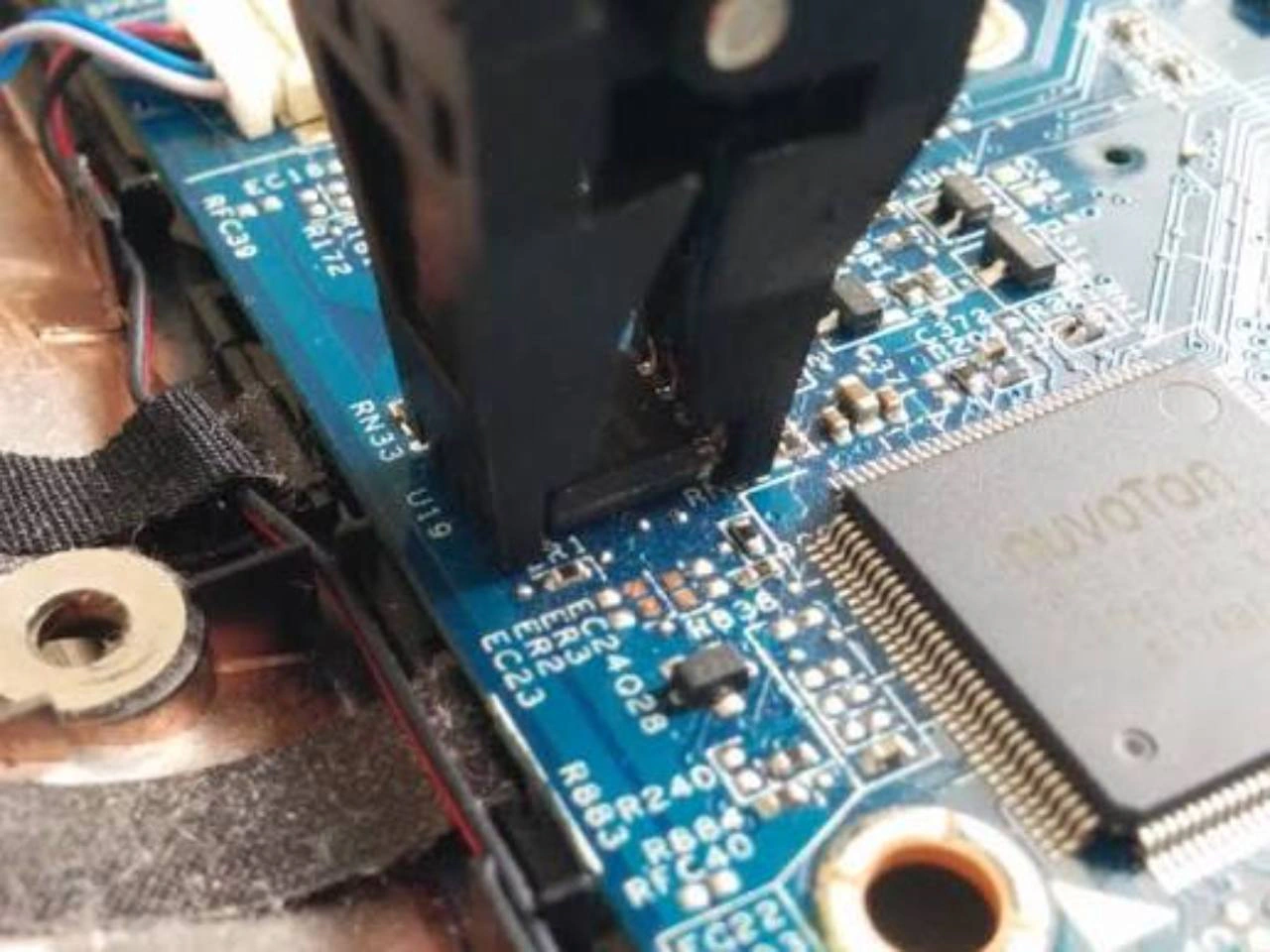

Programming clip attached to a chip on a laptop motherboard

We Speak English

Laptops & PCs

BIOS Flashing & Firmware Recovery

Did your computer stop starting after a BIOS update? We can check the software that starts the computer. When the motherboard chip is compatible, we restore its BIOS or UEFI firmware with a T48 programmer and test that it starts.

Quote after diagnosis

Local pickup and return are included at no extra charge on agreed repairs.

See the Areas We Cover

What This Service Covers

We check the board model, the firmware it needs and whether its chip can be programmed. After a compatible repair, we test whether the computer starts.

Look at the moment the computer stops

The BIOS is the software on the motherboard that starts the computer before Windows loads. A failure straight after an interrupted update is a useful clue, especially if the computer no longer reaches the logo it used to show.

A dark screen can also come from memory, the display or power. We look at lights, beeps and the order in which things happen before deciding whether firmware recovery makes sense.

Match the firmware to the exact board

We identify the specific board and revision before discussing recovery. Similar names can refer to different boards, and laptop versions can vary within the same range.

Some boards have a supported recovery option. Others need the firmware chip to be assessed separately. We check what the board supports and whether other damage would affect the result.

Check that it can start again

After firmware work, we check whether the computer reaches its setup screen and goes on to start normally. If Windows shows a recovery screen afterwards, we’ll discuss what it means before doing anything that affects the drive.

Tell us if the computer uses drive encryption or a custom setup. Recovery information may be needed after changes to startup settings, so keep it somewhere you can access without the faulty computer.

Common Reasons to Get Help

  • The machine stopped reaching its startup logo immediately after a BIOS update.
  • Power lights come on, then the PC restarts without showing the usual screen.
  • A startup warning appeared during a firmware update and the computer has behaved differently since.

What to Send for a Quote

Tell us the computer or motherboard model, what happened during the update and whether any lights, beeps or messages appear now.

  • Send the laptop or motherboard model and any revision number already available.
  • Write down how the update started and whether it was interrupted.
  • Save any drive recovery details somewhere safe, away from the faulty machine.

Questions About This Service

Can flashing the BIOS fix a blank screen after an update?

It may help if the firmware was damaged and the chip can be programmed. We check the symptoms and the board before quoting.

Should I try another update if the first one stalled?

Tell us which update ran and what the computer shows now. We can check the recovery options for that board before you try another change.

Will a BIOS repair also reinstall Windows?

Firmware recovery works on what starts the computer. If the Windows installation also needs attention, we can discuss that as a separate decision after checking the board.

We Won’t Be Beaten on Price

Show us another quote for the same work and we’ll do it for 10% less.

Show Us Your Quote

Ways to get help

Local pickup and return

We can collect and return your device in La Marina and San Fulgencio. Ask about pickup in nearby areas.

Ask about pickup

Help at home

We can help with TV, Wi-Fi and device setup at your home, depending on the job.

Explore home help

Mail-in repairs

Book from across Europe and post us your device. Diagnosis is €25 plus return postage.

Book a mail-in repair